Practical Atomy Guide
Placing Your First Atomy Order (Step by Step)
This guide explains exactly how to place your first Atomy order, without stress, without mistakes, and without any income promise.
I created this guide to help you become autonomous quickly. At the beginning, your only goal is to consume wisely, not to make money.
This guide will be gradually enriched based on the most frequent questions and real situations encountered by members.
Log in to your Atomy account
- Go to the Atomy Europe website
- Log in using your Atomy ID and password
- Once logged in, click on Shopping Mall

Choose your products
In the Shopping Mall, you can browse products by categories (health, hygiene, beauty, food, etc.).
- Select a product
- Click the 🛒 cart icon at the bottom right
- A window opens with two buttons
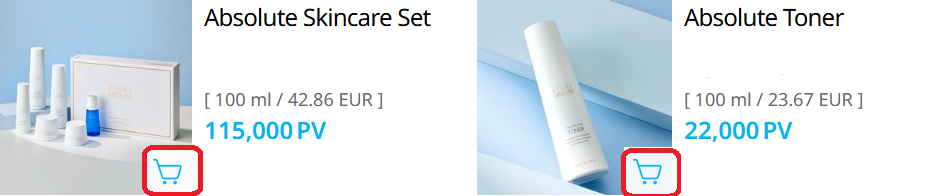
Cart or Buy Now: what’s the difference?
Repeat the process if you want to add more products.

Access the cart
- Click the 🛒 cart icon at the top right
- A window shows the selected products
- ❌ Do not click “Easy Purchase” (this button is only used to create a link to send to someone)
- ✅ Click the blue button showing the number of products
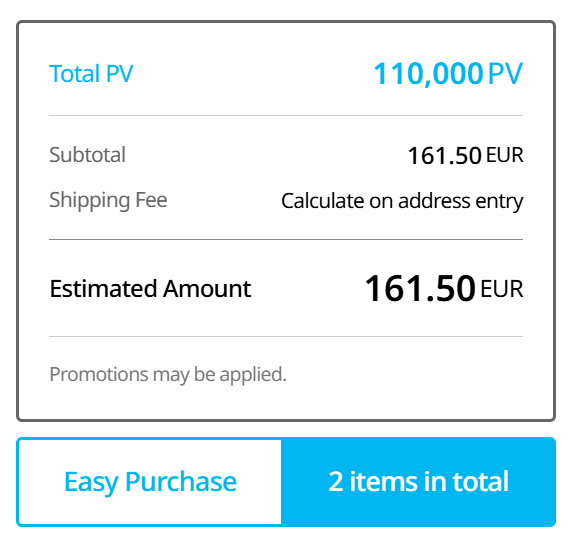
Understanding the Order / Payment page
1) “Orderer” section
- Your name
- Your Atomy ID
- Your center
- The Sale Date
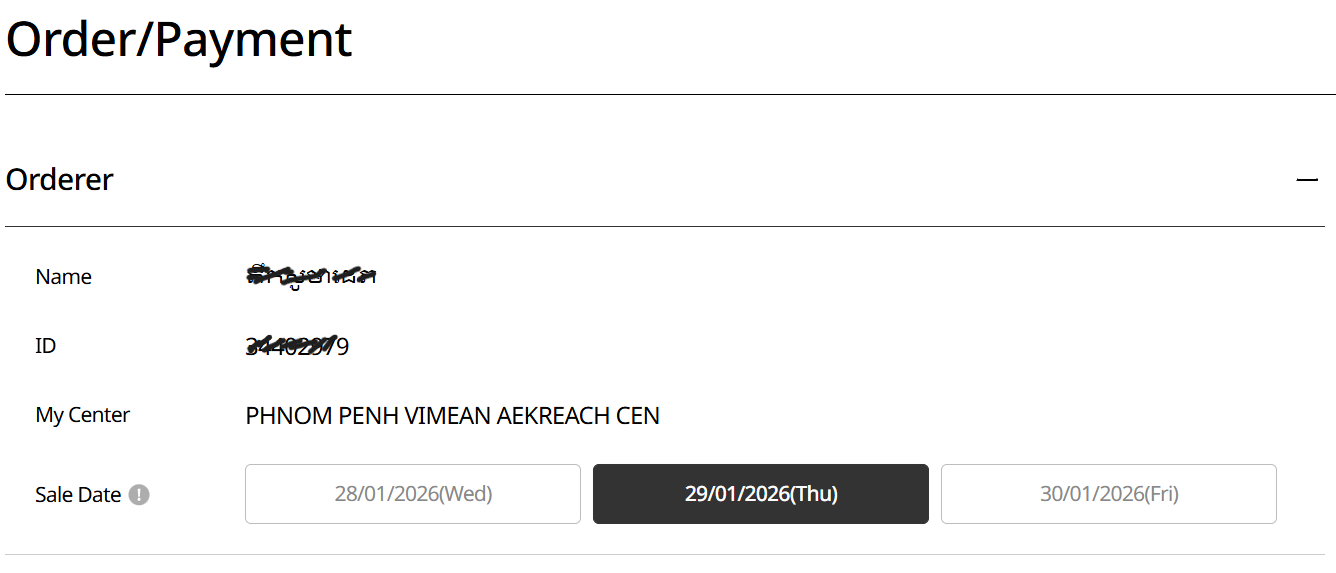
About the date
You will see three options: yesterday / today / tomorrow.
👉 To start, choose today’s date. The other options are for advanced distributors to manage PV calculations (explained later).
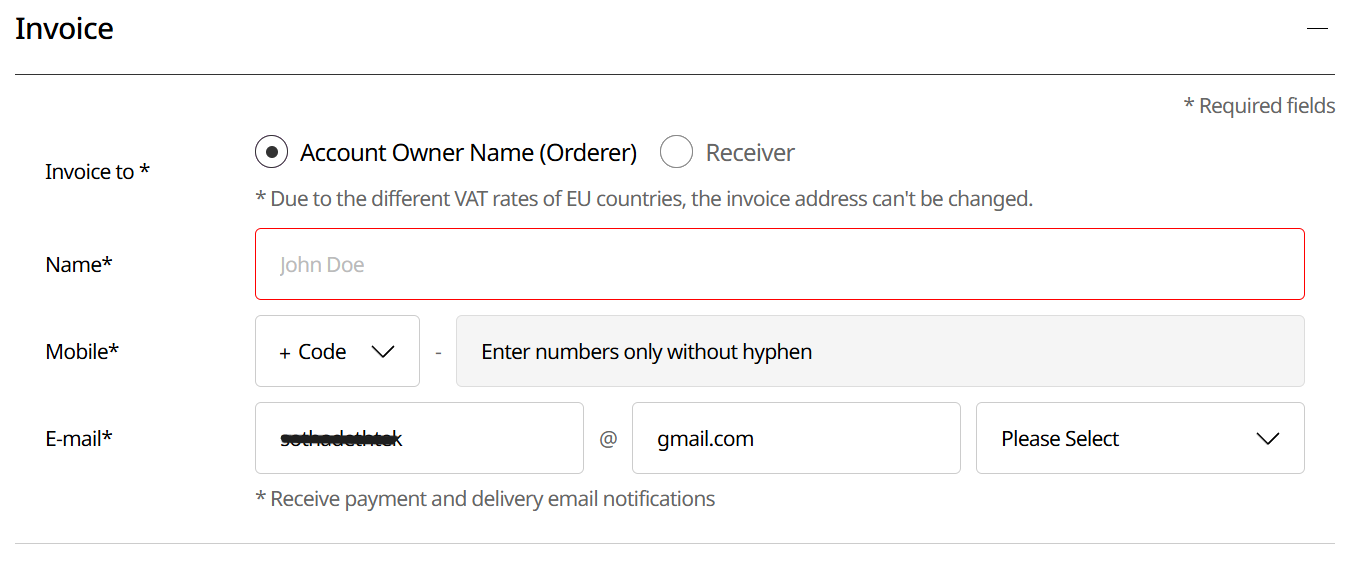
2) “Invoice” section
The invoice can be issued to:
- Account Owner: you
- Receiver: the person receiving the package
You can pay with your ID and card, but have the order delivered to a friend or family member.
3) Payment and delivery
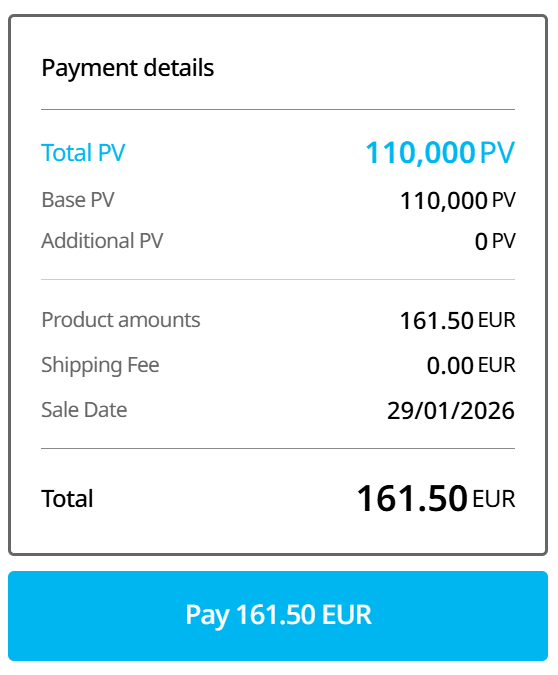
- Total amount to pay
- Number of PV points earned
- Free delivery from around €150
That’s it ✅
- ✅ Your first order is completed
- ✅ You have earned your first PV points
- ✅ You can move forward at your own pace
At Atomy, everything starts with consumption. The rest comes with time and understanding.
Understanding PV points
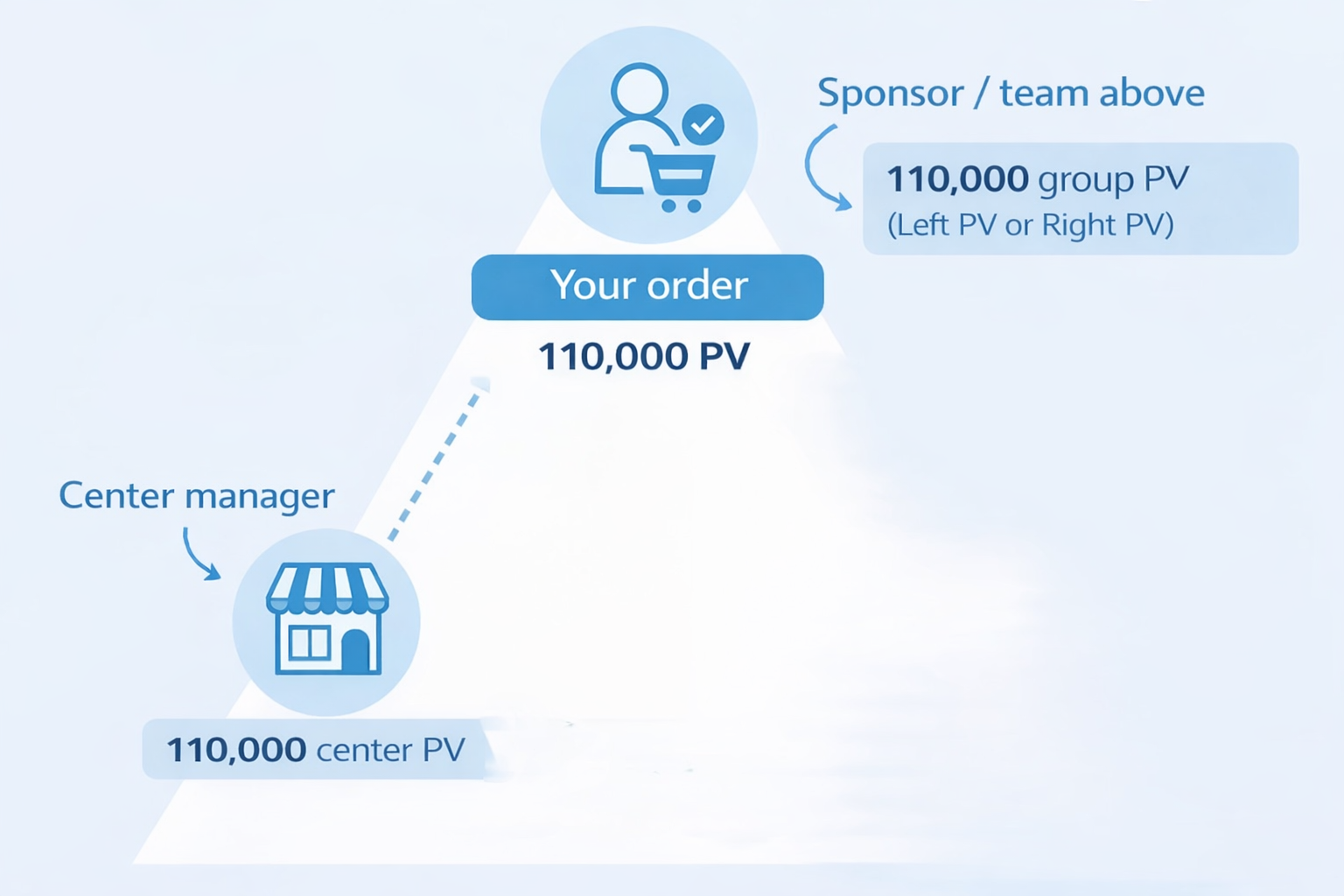
What happens to the 110,000 PV from your order?
In this example, your order generates 110,000 PV. These points do not disappear and are not given to just one person. They are intelligently distributed within the Atomy system.
- You receive 110,000 personal PV (My PV). These points are linked to your own consumption.
- Members above you in your team receive 110,000 group PV (Right PV or Left PV, depending on placement).
- The center leader also receives 110,000 PV for center commission calculations.
That’s why Atomy is primarily a system based on real consumption and long-term loyalty, not on aggressive selling.
Simplified diagram
PV circulation during an order
Don’t have an Atomy account yet?
This step is part of the recommended Atomy journey with your Atomy sponsor.